How to Convert String to Int Java: parseInt(), valueOf() & More
Learn how to convert string to int Java the right way with parseInt(), valueOf(), radix conversion, and safe NumberFormatException handling.
On this page
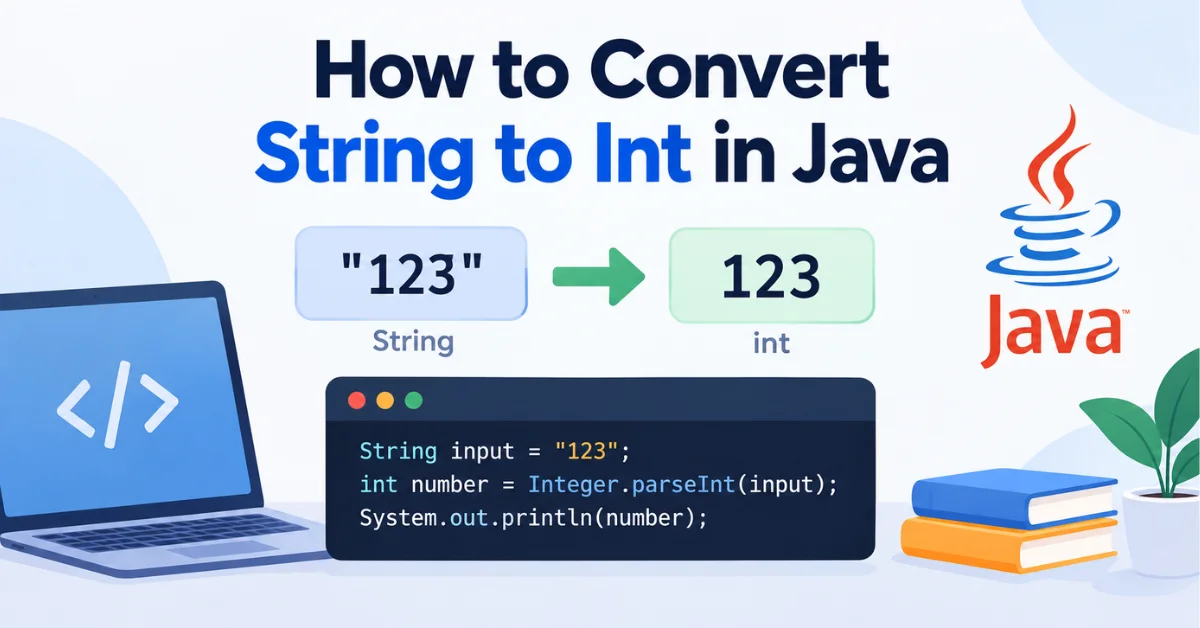
Anyone who's built a Java program that reads input from a form, a config file, or a command line knows the first roadblock. Everything comes in as a String, and no arithmetic happens until that String becomes a number. Trying to add "5" and "3" in Java doesn't give you 8; it either won't compile or, if you've mixed types carelessly, gives you "53". Learning how to convert string to int Java values correctly is one of the first real "gotchas" new developers run into, much like centering a div in CSS trips up front-end beginners: the fix depends entirely on which specific problem you're actually solving. It stays relevant on every project that touches user input, files, or network data.
The good news is that Java gives you a small, well-defined toolkit for this. Most of the confusion isn't about which methods exist, it's about picking the right one and handling the cases where the input isn't a clean number.
The Quickest Way to Convert String to Int Java Values
For the overwhelming majority of cases, Integer.parseInt() is the method you want:
java
String input = "42";
int number = Integer.parseInt(input);
System.out.println(number + 8); // prints 50
input stays a String. number is a separate, primitive int holding the numeric value that was inside that String. Nothing about the original variable changes; parseInt() reads the characters and returns a new value in a different type. Once you have that int, it behaves exactly like any other integer, so number + 8 performs real arithmetic instead of gluing text together.
Convert String to Int Using Integer.parseInt()
Basic parseInt() Syntax
The core method signature, per the Java SE documentation, is:
java
public static int parseInt(String s) throws NumberFormatExceptionIt takes a String and returns a primitive int. Java expects that String to contain only an optional leading + or - sign followed by decimal digits, nothing else, no spaces, no commas, no decimal points. Both positive and negative values work the same way:
java
int positive = Integer.parseInt("150");   // 150
int negative = Integer.parseInt("-150");  // -150
Converting User Input to an Int
Input read through a Scanner always arrives as a String, even when the person typing clearly meant a number. That's why nextLine() has to pass through parseInt() before it's usable in a calculation:
java
import java.util.Scanner;

public class AgeCalculator {
    public static void main(String[] args) {
        Scanner scanner = new Scanner(System.in);
        System.out.print("Enter your age: ");
        String rawInput = scanner.nextLine();
        int age = Integer.parseInt(rawInput);
        System.out.println("In 5 years you'll be " + (age + 5));
    }
}
Given 27 as input, this prints In 5 years you'll be 32. Skip the conversion and age + 5 would concatenate a String and an int into "275" instead of adding two numbers.
Convert String to Integer Using Integer.valueOf()
How Integer.valueOf() Works
Integer.valueOf() does something similar to parseInt(), but it returns an Integer object rather than a primitive int:
java
String priceText = "199";
Integer price = Integer.valueOf(priceText);
int total = price + 50; // 249
Because Java automatically unboxes an Integer into an int when it's used in arithmetic, price + 50 works without any extra code. That automatic unboxing is convenient. It's also why valueOf() carries slightly more overhead than parseInt(), since it produces (or, for small values, reuses a cached) object instance instead of a bare primitive.
parseInt() vs valueOf()
The practical difference comes down to what type you actually need:
Method | Returns | Use when |
|---|---|---|
| primitive | You just need a number for math or comparisons |
|
| You need an object, e.g. for a |
Neither one is universally faster or "better." parseInt() is usually the clearer choice when a plain int is all a method needs, since it skips the object wrapper entirely. Reach for valueOf() when the surrounding code specifically expects an Integer, such as adding to a collection that can't hold primitives.
Convert a String Using a Different Number Base
Convert Binary, Octal, or Hexadecimal Strings with a Radix
parseInt() has an overload that accepts a radix, letting the same digit characters mean different values depending on the number base:
java
int binaryValue = Integer.parseInt("1100110", 2); // 102
int octalValue  = Integer.parseInt("77", 8);       // 63
int hexValue    = Integer.parseInt("FF", 16);      // 255
The radix tells Java how to interpret each character: in base 2, only 0 and 1 are valid digits; in base 16, letters A through F count as digit values 10 through 15. Feed "FF" in with radix 10 instead of 16 and it throws NumberFormatException, because F isn't a valid decimal digit.
When to Use Integer.decode()
Integer.decode() takes a different approach. Instead of a separate radix argument, it reads a prefix baked into the String itself: 0x or 0X (or #) for hexadecimal, a leading 0 for octal, and no prefix for decimal, per the Java SE 8 API documentation.
java
int decimalValue = Integer.decode("123");  // 123
int hexValue     = Integer.decode("0x7B"); // 123
int octalValue   = Integer.decode("0173"); // 123
decode() is handy when the format is baked into the data you're reading, like config values written as 0xFF. If you already know the base and just have plain digits, parseInt() with an explicit radix is the simpler, more predictable option since there's no prefix-parsing involved.
Handle Invalid Strings with NumberFormatException
What Happens When a String Is Not a Valid Integer
Both parseInt() and valueOf() throw NumberFormatException the moment a String doesn't match what they expect, and that includes a null String:
java
String[] inputs = {"abc", "12.5", "10a", null};
for (String value : inputs) {
    try {
        int result = Integer.parseInt(value);
        System.out.println(value + " -> " + result);
    } catch (NumberFormatException e) {
        System.out.println(value + " -> NumberFormatException: " + e.getMessage());
    }
}
Running this prints a NumberFormatException for every entry, including null, which fails with a distinct message ("Cannot parse null string") rather than throwing a NullPointerException. A valid negative number like "-150" is fine; it's only strings containing characters outside the expected digit-and-sign pattern that trigger the exception. "12.5" fails for the same reason "abc" does: a decimal point isn't a digit as far as parseInt() is concerned.
Safely Convert User or External Input
Whenever a String might legitimately be malformed, wrapping the conversion in a try-catch beats letting the program crash:
java
static int parseWithDefault(String value, int fallback) {
    if (value == null) {
        return fallback;
    }
    try {
        return Integer.parseInt(value.trim());
    } catch (NumberFormatException e) {
        return fallback;
    }
}
Catching NumberFormatException specifically, rather than a blanket catch (Exception e), keeps the handler focused on the one failure mode this code actually expects, so an unrelated bug elsewhere doesn't get silently swallowed along with it.
Common String-to-Int Problems in Java
Leading and Trailing Whitespace
parseInt() does not trim whitespace on its own. Integer.parseInt(" 123 ") throws NumberFormatException, because the space characters aren't digits. Calling .trim() (or .strip() in newer Java versions) before parsing solves this. It just removes characters that were never part of the number to begin with, so the numeric value itself doesn't change.
Null Strings
A null String isn't the same problem as an invalid one. There's no text to inspect at all, so parseInt(null) throws NumberFormatException with a message noting the null input, confirmed by running it directly rather than assuming. Checking for null before parsing, as in the fallback method above, avoids relying on the exception message to distinguish "missing" from "malformed."
Decimal and Formatted Numbers
A String like "12.5" can't go straight into parseInt(), since the method only recognizes whole-number digit sequences. The same goes for formatted numbers with commas, like "1,000". If the value genuinely has a fractional part, Double.parseDouble() or BigDecimal is the appropriate type, not a workaround that strips characters out of an int-bound String.
Values Outside the int Range
Java's int is a 32-bit signed type, capped at Integer.MAX_VALUE (2,147,483,647) and Integer.MIN_VALUE (-2,147,483,648). A numeric String outside that range, even one made entirely of valid digits, throws NumberFormatException when parsed as an int:
java
String tooBig = "99999999999999";
long asLong = Long.parseLong(tooBig); // works fine
// Integer.parseInt(tooBig) would throw NumberFormatException here
When a value might legitimately exceed the int range, Long.parseLong() or, for arbitrarily large numbers, BigInteger, is the right tool instead of forcing it into an int.
Which String to Int Java Method Should You Use?
parseInt(): the default choice when you need a primitiveintfor math or comparisons.valueOf(): when the surrounding code specifically needs anIntegerobject, like a generic collection.parseInt()with a radix: for binary, octal, or hexadecimal strings where you already know the base.decode(): when the base is signaled by a prefix already embedded in the String, such as0xor a leading0.
Common Mistakes to Avoid When Converting String to Int
Trying to cast a String directly to
int, like(int) someString, which doesn't compile; casting only works between compatible types, and String isn't one of them forint.Using the deprecated
new Integer(String)constructor, which the JDK has marked for removal in favor ofvalueOf().Ignoring
NumberFormatExceptionentirely and letting external input crash the program.Parsing a decimal or comma-formatted string as though it were a plain integer.
Forgetting about whitespace,
nullvalues, or theintrange limit until production input triggers them.Reaching for an
Integerobject withvalueOf()when a plainintfromparseInt()would do the job with less overhead.
Practical Examples of String-to-Int Conversion
Convert a String Before Performing Arithmetic
java
String quantityText = "6";
String priceText = "12";
int total = Integer.parseInt(quantityText) * Integer.parseInt(priceText);
System.out.println("Total: " + total); // Total: 72
Arithmetic can't happen correctly while either value stays a String; "6" * "12" isn't valid Java at all, since multiplication isn't defined for String operands.
Convert Multiple String Values
Looping over several values at once, and skipping the ones that don't parse, is a common pattern for cleaning up a batch of input:
java
String[] rawScores = {"88", " 92", "76 ", "abc", "100"};
int total = 0;
int validCount = 0;
for (String raw : rawScores) {
    try {
        int score = Integer.parseInt(raw.trim());
        total += score;
        validCount++;
    } catch (NumberFormatException e) {
        System.out.println("Skipping invalid score: " + raw);
    }
}
System.out.println("Average: " + (total / validCount));
This prints Skipping invalid score: abc and then an average calculated only from the four valid entries.
Convert a String Safely in a Real-World Input Flow
Combining validation, trimming, and a fallback keeps conversion logic contained instead of scattering try-catch blocks throughout a codebase:
java
static boolean isParsable(String value) {
    return value != null && value.trim().matches("-?\\d+");
}

static int safeParse(String value, int fallback) {
    return isParsable(value) ? Integer.parseInt(value.trim()) : fallback;
}
Checking the shape of the input before parsing means the try-catch becomes optional in code paths where a clean fallback matters more than an exception trace.
Wrapping Up
Converting string to int Java values comes down to picking the right method for the job: parseInt() for a plain int, valueOf() when an Integer object is required, a radix or decode() for non-decimal formats, and a try-catch around any input that might not be clean. Once that pattern is second nature, NumberFormatException stops being a mystery and starts being just another expected case to handle.
Frequently Asked Questions About String to Int in Java
What is the easiest way to convert a String to int in Java?
Integer.parseInt(yourString) is the standard, most direct way to convert a numeric String into a primitive int in Java.
What is the difference between parseInt() and valueOf() in Java?
parseInt() returns a primitive int; valueOf() returns an Integer object. Use parseInt() for plain arithmetic and valueOf() when an object type is specifically required, such as in a List<Integer>.
How do I convert a String to int without getting NumberFormatException?
Validate the String first, trim any whitespace, check for null, and confirm it contains only digits (with an optional sign) before calling parseInt(). Wrapping the call in a try-catch handles any input that slips through.
Can I convert a decimal String directly to an int in Java?
Not with parseInt() or valueOf(); both throw NumberFormatException on a String like "12.5". Parse it as a double first with Double.parseDouble(), then cast or round to an int if truncating the decimal is acceptable.
How do I convert a binary or hexadecimal String to an int in Java?
Use Integer.parseInt(string, radix) with 2 for binary or 16 for hexadecimal, or use Integer.decode() if the String already includes a prefix like 0x.
Was this page helpful?
Keep reading

How to Center an Image in CSS (5 Reliable Methods)
Learn how to center an image in CSS with margin, text-align, Flexbox, Grid, and absolute positioning, plus fixes for when centering silently fails.

How to Make an Image Link in HTML
Learn how to make an image link in HTML with the right <a> and structure, plus new-tab, accessibility, and troubleshooting fixes.</a>
How to Check if a String Contains a Word in Python
The direct way to check if a string contains a word in Python, plus whole-word matching, case-insensitive search, and finding word positions.