How to Check if a String Contains a Word in Python
The direct way to check if a string contains a word in Python, plus whole-word matching, case-insensitive search, and finding word positions.
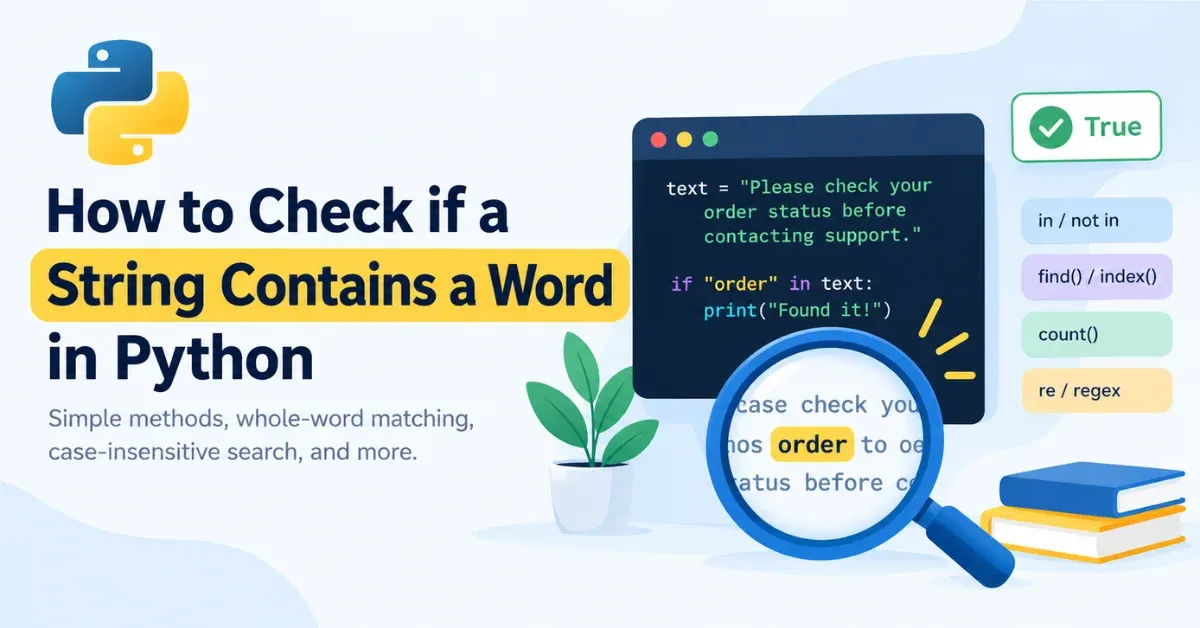
The simplest way to check if a string contains a word in Python is the in operator:
python
if "word" in text:
    ...
It returns True or False immediately, needs no import, and is the right first choice for a plain substring check. That single line covers most versions of this question. Things get more specific when you need a real whole word instead of any matching substring, or the exact position of a match, cases where in alone isn't the right tool. This guide covers each of those, along with the mistakes that trip people up.
The Direct Answer: Use the in Operator
in is a membership test built into Python strings. It scans the string and returns a boolean, nothing more.
python
text = "Please check your order status before contacting support."

if "order" in text:
    print("Found it!")
else:
    print("Not found.")
For the opposite check, use not in:
python
text = "Your package has shipped."

if "cancelled" not in text:
    print("Order is still active.")
One edge case worth knowing: Python treats the empty string as a substring of every string, so "" in "anything" evaluates to True. It rarely comes up in practice, but it can surprise you if a search term is ever empty by accident, such as from unvalidated user input.
in Finds Substrings, Not Whole Words
in has no concept of a "word." It only checks whether one sequence of characters appears inside another, wherever that happens to be.
python
>>> "cat" in "category"
True
>>> "cat" in "concatenate"
True
Both return True because cat genuinely occurs as a run of characters in each string, even though neither string is about a cat. This becomes a real bug when you're filtering text by keyword:
python
messages = ["Check out my spammer report", "This is not spam", "spa reservations"]
flagged = [m for m in messages if "spam" in m]
print(flagged)
# ['Check out my spammer report', 'This is not spam']
The first message gets flagged only because "spammer" happens to contain "spam" as a substring. If that's not what you want, you need whole-word matching instead, which is a different, more specific check.
How to Match a Whole Word Instead of Any Substring
Splitting the Text First
For text with no punctuation attached to the words you care about, splitting into tokens and checking list membership avoids the substring problem entirely:
python
text = "This is not spam please stop flagging it"
words = text.split()

print("spam" in words)      # True
print("spammer" in words)   # False
split() breaks the string on whitespace by default, so each list entry is a complete token rather than an arbitrary run of characters. The limitation is punctuation: split() leaves it attached to the word, so on a string like "not spam, please stop", the token is "spam,", not "spam", and "spam" in words would come back False.
Tokenizing Text That Includes Punctuation
Rather than stripping out punctuation marks one at a time, re.findall(r"\w+", text) pulls out word-like tokens directly, treating anything that isn't a letter, digit, or underscore as a separator:
python
import re

text = "This is not spam, please stop flagging it."
words = re.findall(r"\w+", text)

print("spam" in words)      # True
print("spammer" in words)   # False
Using Regex Word Boundaries
re.search() with a \b word-boundary marker does a similar job without building an intermediate list, which is convenient when you just need a yes/no answer:
python
import re

text = "This is not spam, please stop flagging it."

if re.search(r"\bspam\b", text):
    print("Whole word match found")
Per the Python documentation, \b marks the boundary between a word character (\w: letters, digits, and underscore) and anything that isn't, or between a word character and the start or end of the string. That's a boundary defined by character classes, not a linguistic definition of a word, and the difference matters in practice. Because a hyphen or an apostrophe counts as "not a word character," \bcat\b matches the "cat" inside "cat's", and \bwell\b matches the "well" inside "well-known", even though a person might not consider either one a separate whole word:
python
>>> re.findall(r"\bcat\b", "the cat's toy")
['cat']
>>> re.findall(r"\bwell\b", "a well-known fact")
['well']
If that distinction matters for your text, such as needing hyphenated compounds treated as single units, a custom pattern or additional post-processing will be more reliable than \b alone.
Case-Insensitive Substring and Word Checks
lower() for Everyday Text
Text in the real world is inconsistent about capitalization. The common fix is lowercasing both sides before comparing:
python
text = "Your ORDER has shipped"
keyword = "order"

if keyword.lower() in text.lower():
    print("Match found, case-insensitive")
casefold() for Unicode Text
lower() is fine for plain ASCII text, but it doesn't apply every Unicode case-folding rule. Python's str.casefold() is built specifically for caseless comparisons and handles more cases than lower(). The standard example is the German letter "ß": lower() leaves it unchanged, while casefold() converts it to "ss", which is how the two spellings are expected to compare as equal.
python
>>> "straße".lower() == "strasse"
False
>>> "straße".casefold() == "strasse"
True
For everyday English text, lower() and casefold() behave the same way, so lower() combined with in is a valid and common way to do a case-insensitive substring check. Reach for casefold() when your input might include non-English text and the comparison needs to hold up correctly.
Combining Whole-Word and Case-Insensitive Matching
Regex isn't required for a plain case-insensitive substring check, lower() plus in already covers that. It becomes useful once you need whole-word and case-insensitive matching together, which re.IGNORECASE (or its short alias, re.I) handles in one pass:
python
import re

text = "Contact SUPPORT for help"

if re.search(r"\bsupport\b", text, re.IGNORECASE):
    print("Match found")
Finding Where a Match Occurs: find() and index()
in tells you whether a match exists, but not where. When you need the position, use find() or index(), not as a "better" substitute for in, but for the extra information they provide.
find()
str.find() returns the index of the first match, or -1 if there isn't one.
python
text = "The invoice number is 48291"
position = text.find("invoice")
print(position)  # 4
Here's a bug that catches experienced developers, too: using find() directly as a condition.
python
text = "spam is not welcome here"

if text.find("spam"):
    print("Found spam")
else:
    print("No spam found")
# Prints "No spam found", which is wrong
"spam" is actually found at index 0, but Python treats 0 as falsy in a boolean context, so the if branch never runs. Compare explicitly against -1 instead:
python
if text.find("spam") != -1:
    print("Found spam")
index()
str.index() behaves the same way as find(), except a failed search raises a ValueError instead of returning -1:
python
text = "The invoice number is 48291"

try:
    position = text.index("receipt")
except ValueError:
    print("Word not found")
Both methods also accept an optional starting index, which lets you continue searching past a match you've already found:
python
text = "spam and more spam"
first = text.find("spam")        # 0
second = text.find("spam", first + 1)  # 14
find() vs. index()
Method | When the Word Is Missing | Best For |
|---|---|---|
| Returns | A missing match is a normal outcome you'll check for |
| Raises | A missing match should be treated as an error |
Counting Matches with count()
in and find() only tell you about the first occurrence. str.count() tells you how many non-overlapping times a substring appears in the whole string, which matters if you care about frequency rather than just presence. Note that "non-overlapping" means "aaa".count("aa") returns 1, not 2, since the second possible match would reuse a character already claimed by the first.
python
text = "the cat sat on the mat with a cat and the dog"
print(text.count("cat"))  # 2
print(text.count("the"))  # 3
Checking Several Words at Once
any() checks whether at least one keyword matches; all() checks whether every keyword does. Per the Python documentation, both work through the iterable in order and return as soon as the outcome is known: any() on the first true value, all() on the first false value.
python
text = "This email looks like a phishing attempt"
keywords = ["phishing", "scam", "fraud"]

if any(word in text for word in keywords):
    print("Suspicious content detected")
python
text = "Order confirmed. Payment received. Shipping in progress."
required = ["order", "payment", "shipping"]

if all(word.lower() in text.lower() for word in required):
    print("All required terms present")
Using Regular Expressions for Pattern-Based Text Search
Everything so far has searched for a fixed, literal piece of text. Regex is worth reaching for once you're matching a shape of text instead, something a plain substring check can't express: an ID number, an email-like pattern, or a word followed by digits.
python
import re

log_line = "user_id: 48291 failed login attempt"
match = re.search(r"user_id:\s*(\d+)", log_line)
if match:
    print(match.group(1))  # 48291
There's no fixed word to search for here, only a pattern, which is exactly the kind of problem in, find(), and index() can't solve.
re.escape() for Literal Text Inside a Pattern
Sometimes you need to drop a literal, non-pattern string into a larger regex, for example when combining a user-supplied search term with re.IGNORECASE or with other pattern pieces. Characters like ., *, and ( carry special meaning in regex, so inserting unescaped text can change what the pattern actually matches. re.escape() neutralizes those characters so the text is matched literally:
python
import re

user_term = "3.14"
pattern = re.escape(user_term)
text = "The value is 3.14 exactly, not 3x14"

if re.search(pattern, text):
    print("Literal match found")
Without re.escape(), the unescaped . in "3.14" would match any character, so the pattern would also match a string like "3x14". re.escape() fixes that by matching the text exactly as written. It's a correctness fix for building a regex pattern, not a substitute for in when a plain substring check is all you need.
Common Pitfalls at a Glance
Treating
inas whole-word matching. It matches substrings, so"cat" in "category"isTrue.Forgetting that string matching is case-sensitive by default.
"Order" in "your order is ready"isFalseunless you normalize the case first.Using
find()directly in anif. A match at index0is falsy in Python, soif text.find("word"):silently fails for matches at the very start of the string.Letting
index()raise on a normal "not found" case. If a missing match is expected rather than exceptional,find()orinis usually the simpler choice.Assuming
\bmatches a human's idea of a "word." It matches regex word-character boundaries, so it can split at hyphens and apostrophes in ways you might not expect.Reaching for regex when
inalready answers the question. Regex adds real value for whole-word matching, case-insensitive-plus-whole-word combinations, and pattern-based searches; for a plain substring check,inis shorter to write and easier to read.
Choosing the Right Method
Situation | Recommended Method |
|---|---|
Plain substring check |
|
Case-insensitive substring check |
|
Whole-word match on text without punctuation |
|
Whole-word match with punctuation |
|
Whole-word and case-insensitive together |
|
Position of the first match |
|
Number of occurrences |
|
Matching several possible words |
|
Matching a pattern rather than fixed text |
|
Frequently Asked Questions
What's the simplest way to check if a string contains a word in Python?
Use the in operator: "word" in text. It returns True if the substring is found anywhere in the string, False otherwise.
Does in check for a whole word or just a substring?
A substring. "cat" in "category" returns True even though "category" isn't about a cat. For whole-word matching, split the text into tokens or use a regex pattern with \b.
How do I check for a whole word instead of a substring?
Split clean, punctuation-free text into a list of words and check membership, or use re.search(r"\bword\b", text) for text with punctuation.
How do I do a case-insensitive check?
Lowercase both sides with .lower() before comparing, use .casefold() for text that may include non-English characters, or add re.IGNORECASE if you're already using regex for whole-word matching.
What's the difference between in and find()?
in returns a boolean. find() returns the index of the first match, or -1 if the word isn't present, which is useful when you need the position rather than a yes/no answer.
What happens when index() can't find the word?
It raises a ValueError, unlike find(), which returns -1. Wrap index() in a try/except block if a missing match is a real possibility.
How do I check if any of several words are present?
Use any(word in text for word in keywords) if one match is enough, or all(...) if every keyword needs to be present.
Conclusion
For most cases, the in operator is all you need to check if a string contains a word in Python. find() and index() step in when you need the match's position instead of a yes/no answer, and count() answers "how many." Reach for re once you need whole-word boundaries, case-insensitive matching combined with whole words, or a pattern rather than a fixed piece of text. Match the tool to what you actually need, and the rest of the code follows naturally.
Was this page helpful?
Keep reading

How to Center an Image in CSS (5 Reliable Methods)
Learn how to center an image in CSS with margin, text-align, Flexbox, Grid, and absolute positioning, plus fixes for when centering silently fails.

How to Make an Image Link in HTML
Learn how to make an image link in HTML with the right <a> and structure, plus new-tab, accessibility, and troubleshooting fixes.</a>
How to Convert String to Int Java: parseInt(), valueOf() & More
Learn how to convert string to int Java the right way with parseInt(), valueOf(), radix conversion, and safe NumberFormatException handling.